NOC workspace
Network operations: inventory, configuration, change and telemetry. This page walks a new deployment through the NOC in the order the pieces build on each other, with the device-side CLI to paste where a device needs configuration too.
Throughout, <appliance-ip> is your appliance’s address
and <secret> a shared secret you set in the UI. The Cisco
snippets use IOS / IOS-XE syntax; Juniper EX / Junos is equally supported
for AAA and inventory.
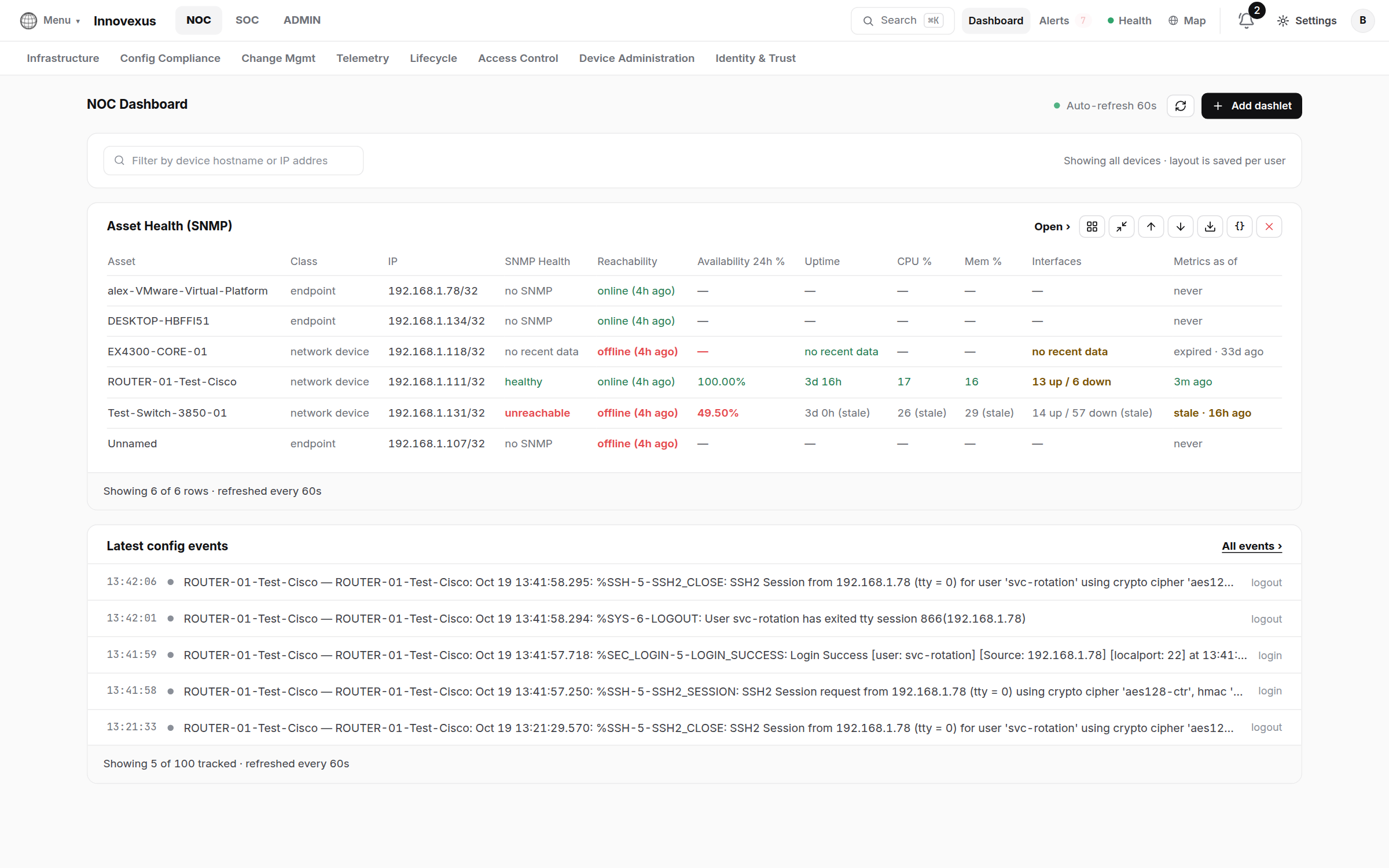
1 · Add your devices
Infrastructure → Network Devices is the inventory. Two ways to fill it:
- Discovery (Infrastructure → Discovery): give it a subnet and credentials; it sweeps for reachable devices, identifies vendor and model, and offers each one for adoption. Discovery → Audit keeps the per-device log of what was tried and found.
- Manually: Network Devices → Add with the address and an SSH login. On first contact the appliance records the device’s SSH host key and pins it — a later key change is refused and alerted, not silently accepted (see ADMIN → AAA → SSH Host Keys).
The device side needs nothing exotic — management SSH with an account the appliance can use:
! Cisco IOS — a management account and SSH v2
username netops privilege 15 secret <password>
ip ssh version 2
line vty 0 4
 transport input ssh
 login local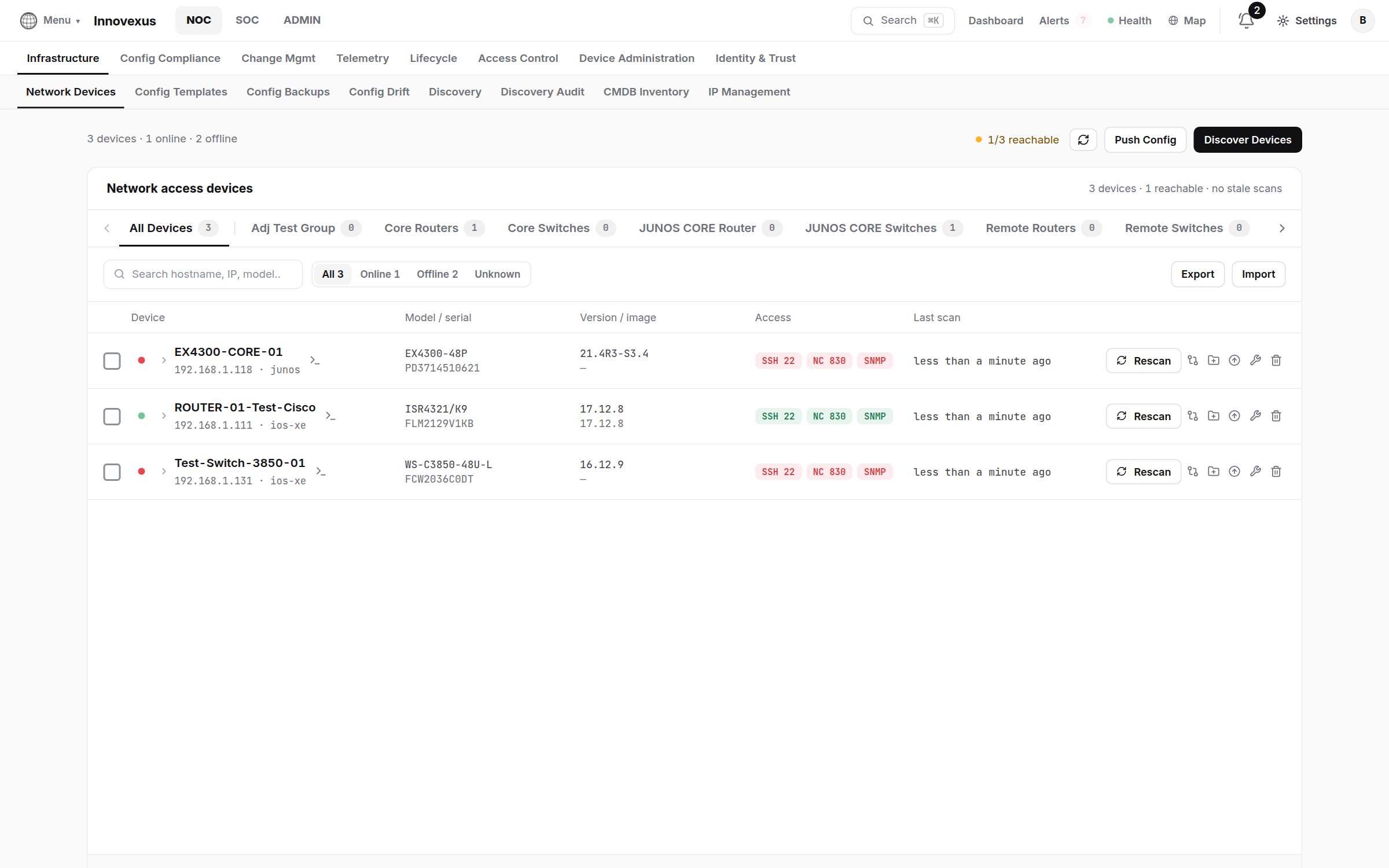
2 · Device groups & credentials
Every device belongs to a Device Group (Infrastructure → Device Groups). Groups carry the things you don’t want to manage per device:
- Vault credentials — the group’s login comes from the credential vault. After a device is adopted, the appliance switches it to vault credentials and removes the add-time login from its own records, so passwords live in exactly one place.
- AAA enablement — enabling RADIUS or TACACS+ on a group registers every member as a NAS client of the built-in daemons with the group’s shared secret (details).
- Bootstrap — a new member can receive a baseline configuration push (SNMP, syslog, AAA pointers) the moment it joins.
3 · Configuration: backups, templates, drift
- Config Backups — the appliance archives device configurations on every scan and on demand; archives are kept until you delete them and can be restored to the device from the page.
- Config Templates — reusable snippets with variables (Settings → Variables and Network Variables) you can push to a device, a selection, or a whole group.
- Config Drift — compares each device’s running config against its baseline and opens Remediation Tasks for the differences, so drift is a queue you work, not a report you read.
4 · Telemetry
Four feeds, each optional, each making more of the platform light up:
Syslog (config events, SOC collector)
Point device logging at the appliance (UDP/TCP 514). Syslog drives the Config Events timeline — with the actor named when AAA knows who was on the line — and the SOC’s searchable Syslog Collector.
! Cisco IOS
logging host <appliance-ip>
logging trap informational
SNMP (health dashlets, asset health)
Add the poll credentials on the device and in the device’s vault entry; v3 is preferred:
! Cisco IOS — SNMPv3 auth+priv
snmp-server group IVX-GRP v3 priv
snmp-server user ivx-poll IVX-GRP v3 auth sha <auth-pass> priv aes 128 <priv-pass>
Flow collection
Configure a flow monitor on the device; the appliance reads the flow cache over SSH on its scan interval — no export collector to stand up. Collected flows are matched against the SOC’s IOC threat list, and the storage quota lives in Settings → General → Storage & collection.
DHCP fingerprinting (endpoint profiling)
Let the appliance overhear DHCP requests to profile endpoints (NAC policy can then match on the result). Add it as an additional helper — existing helpers keep working:
! on each access VLAN interface
interface Vlan10
 ip helper-address <dhcp-server>
 ip helper-address <appliance-ip>
On IOS-XE switches doing 802.1X / MAB, device-sensor delivers the same profiling signal inside RADIUS accounting — no helper needed:
device-sensor filter-list dhcp list IVX-DHCP
 option name host-name
 option name class-identifier
device-sensor filter-spec dhcp include list IVX-DHCP
device-sensor accounting
device-sensor notify all-changes
5 · Change management & upgrades
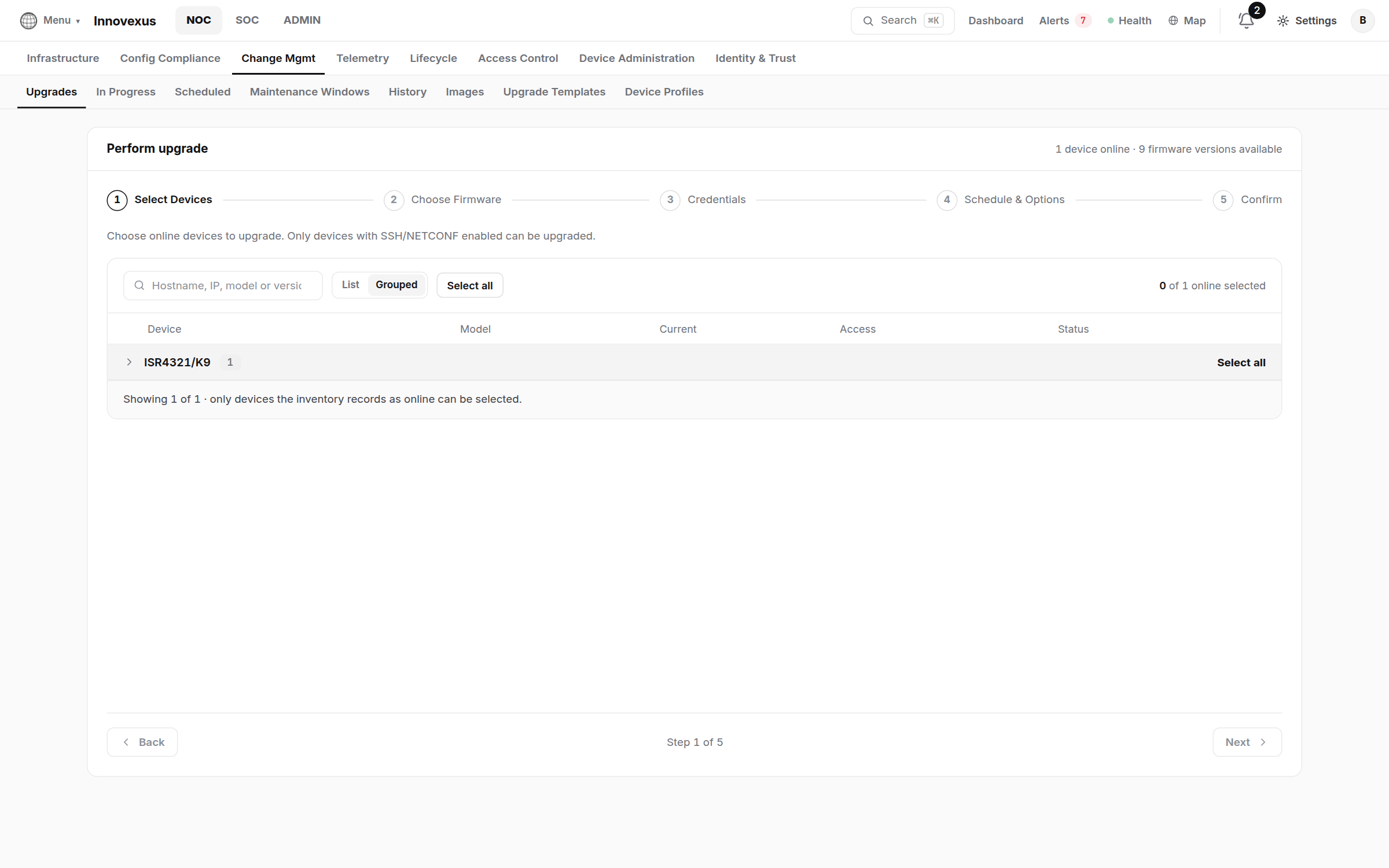
- Images — upload vendor images once; they are stored on the appliance and served to devices during upgrades.
- Upgrade Templates — the phase-by-phase recipe (pre-checks, copy, verify, activate, post-checks) per platform. Stock templates ship for common Catalyst and ISR platforms; clone and adjust for your fleet.
- Upgrades → Perform — pick devices, image, template; watch live progress in In Progress, review every run in History.
- Scheduled — runs queue with a visible countdown; each device shows an hourglass while it waits.
- Maintenance Windows — named, recurring windows; they are marked on the World Map and the SOC is told by live alerts, so nobody mistakes planned work for an incident.
6 · Network access control (802.1X / MAB / TACACS+)
The NOC’s Access Control section holds the NAC decision plane: NAC Architecture is the live wiring diagram, Policy Sets decide who gets what, Enforcement Profiles say it in RADIUS attributes.
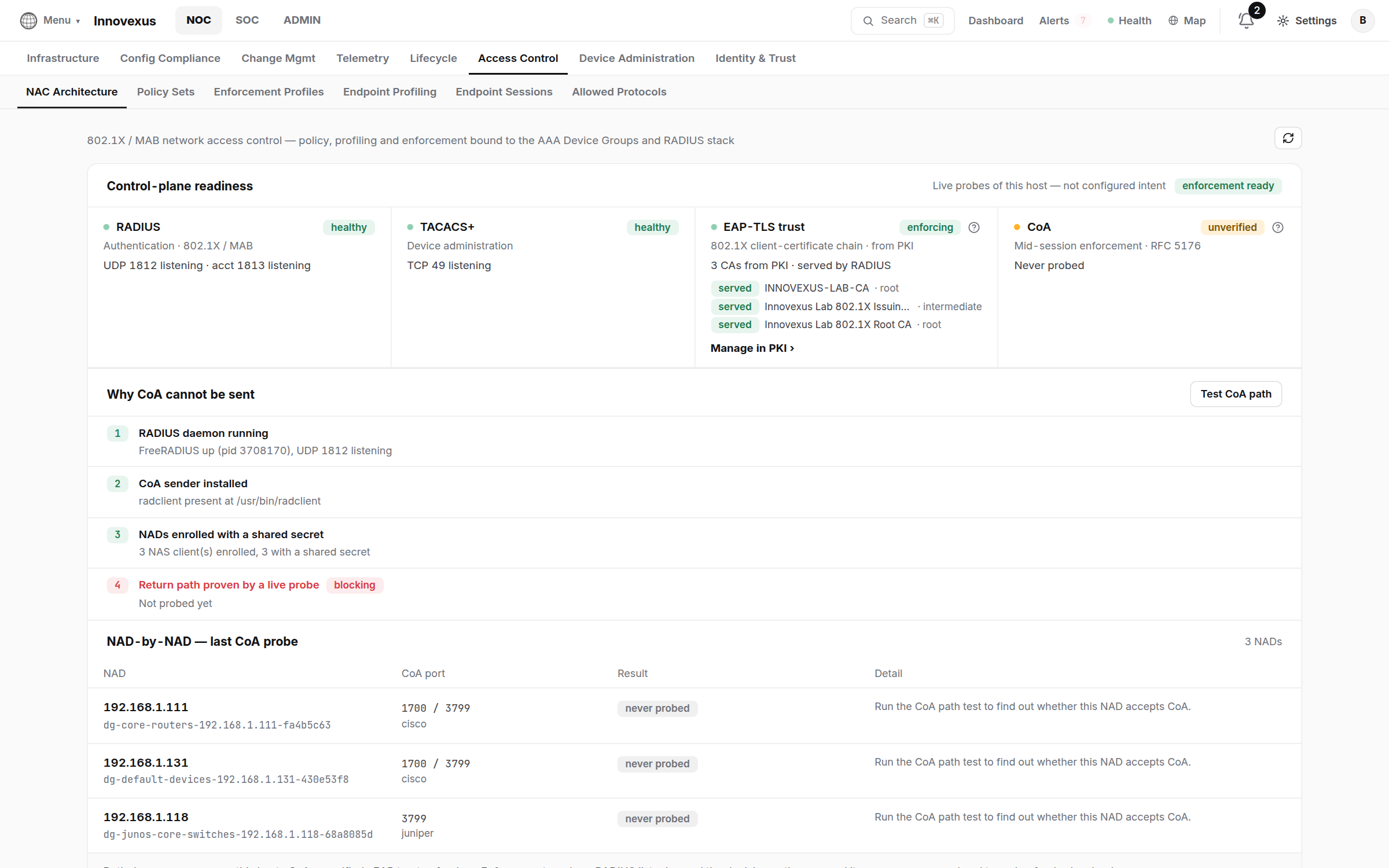
Enable RADIUS on the device group (that registers the switch as a NAS client), then on a Cisco switch:
! Cisco IOS-XE — 802.1X + MAB against the appliance
aaa new-model
radius server INNOVEXUS
 address ipv4 <appliance-ip> auth-port 1812 acct-port 1813
 key <secret>
aaa group server radius IVX-RAD
 server name INNOVEXUS
aaa authentication dot1x default group IVX-RAD
aaa authorization network default group IVX-RAD
aaa accounting dot1x default start-stop group IVX-RAD
dot1x system-auth-control

! allow the appliance to change a session’s access live (CoA)
aaa server radius dynamic-author
 client <appliance-ip> server-key <secret>

! per access port
interface GigabitEthernet1/0/10
 switchport mode access
 authentication port-control auto
 mab
 dot1x pae authenticator
For device administration (who may log in to the switch CLI and run what), use TACACS+ instead — the command sets and roles live in ADMIN → AAA:
! Cisco IOS-XE — TACACS+ device administration
tacacs server INNOVEXUS
 address ipv4 <appliance-ip>
 key <secret>
aaa group server tacacs+ IVX-TAC
 server name INNOVEXUS
aaa authentication login default group IVX-TAC local
aaa authorization exec default group IVX-TAC local
aaa authorization commands 15 default group IVX-TAC local
aaa accounting commands 15 default start-stop group IVX-TAClocal as the fallback until you have
proven a login through the appliance, so a misconfigured secret cannot lock you
out of the switch.7 · The map and the big picture
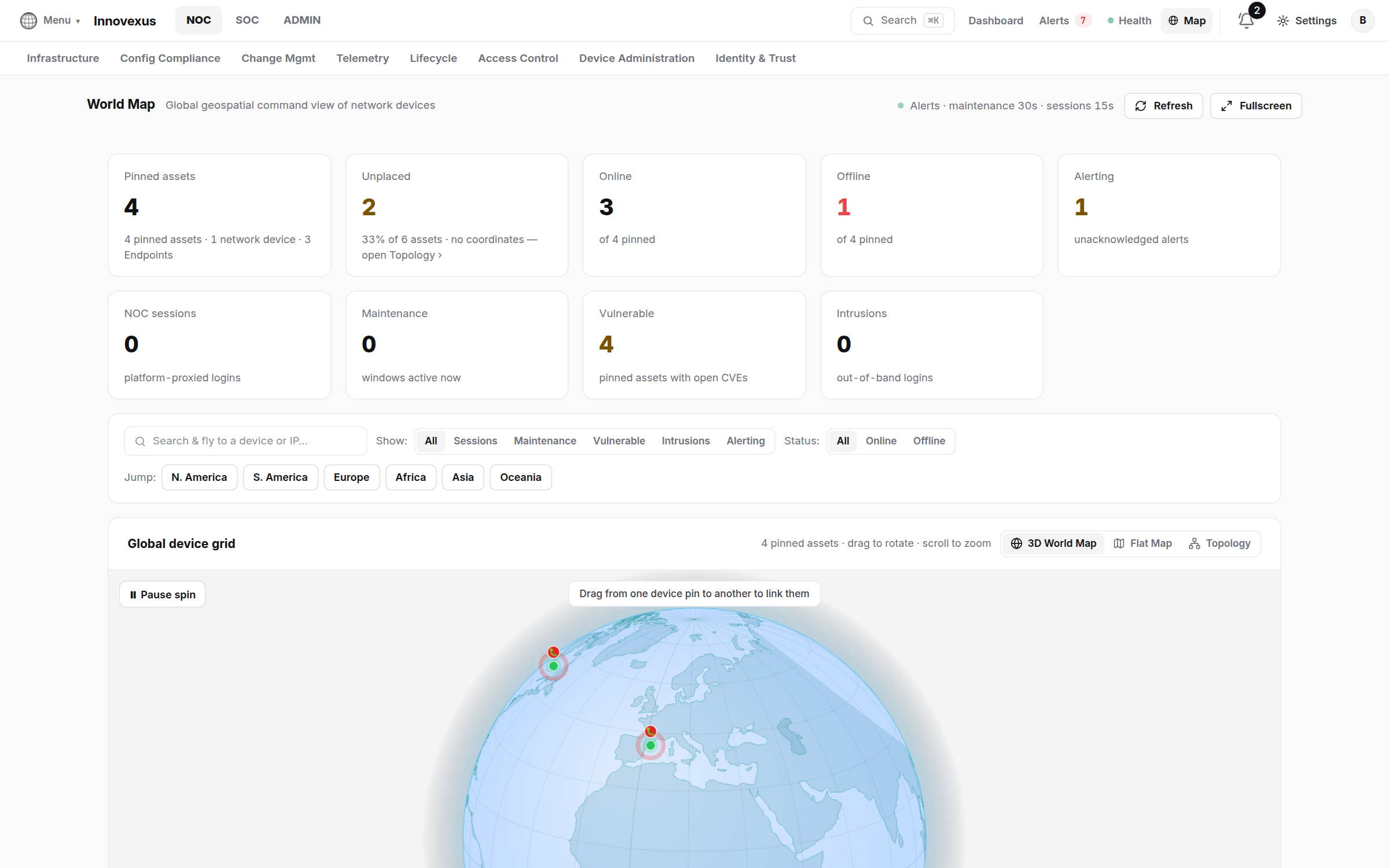
Live Alerts streams critical / warning / info across the fleet; acknowledge records who saw it, not that it is fixed. Route alerts outward (Slack, Teams, e-mail, webhooks) in Settings → Integrations and Alert Rules.